

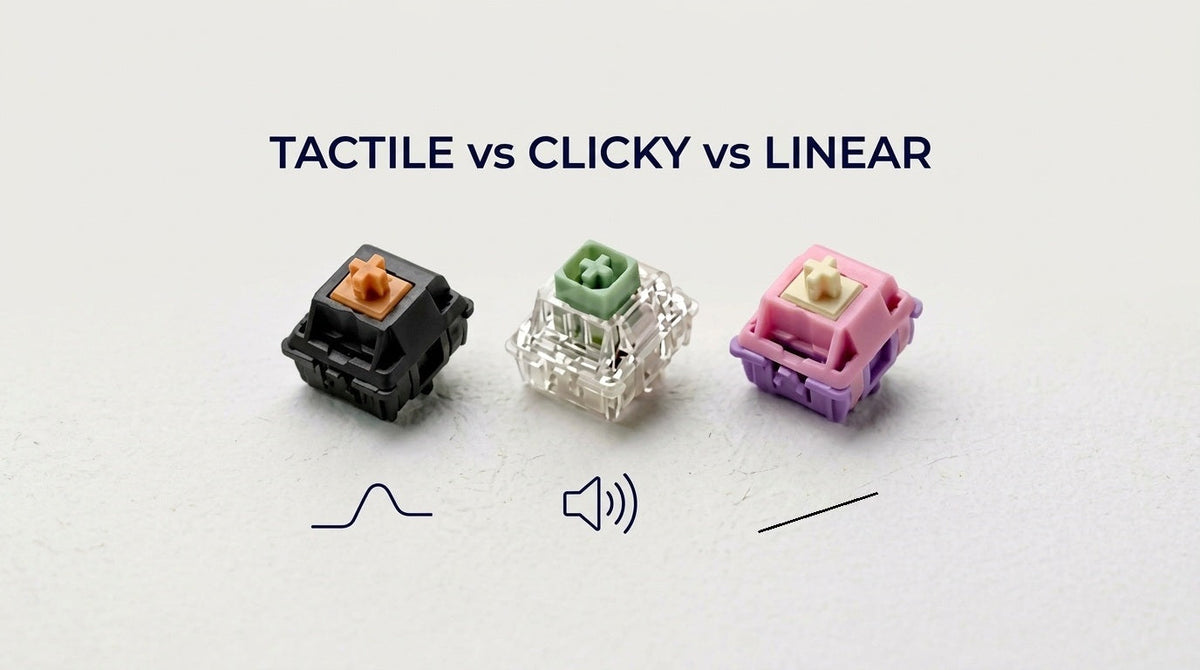
Mechanical keyboard switches fall into three types: linear, tactile, and clicky. The type tells you what your finger feels on the way down, and whether the switch makes a click on purpose.
-
Linear: smooth the whole way. Nothing catches. The everyday version is a gas pedal. You press, it moves, it stops.
-
Tactile: a bump partway down, then it gives. The closest description is opening a car door. The latch resists for a moment, then it releases. You feel that. There is no loud click.
-
Clicky: a bump, plus a click you can hear. The everyday version is a light switch. You feel it, and everyone nearby hears it.
Spring weight, the plastic in the housing, and lube change how heavy or how loud a switch is. They do not add a fourth type. A light linear and a heavy linear are both linear.
The three types, side by side
|
|
Linear |
Tactile |
Clicky |
|---|---|---|---|
|
What you feel |
Smooth from top to bottom |
A bump, then the key gives |
A bump, plus a click |
|
What you hear |
The key bottoming out. No click part. |
A soft tick from the bump, if anything |
A sharp click on every press |
|
A normal day |
Gaming, fast repeated taps |
Typing, writing, general use |
Typing when you want to hear each key |
|
A poor fit |
If you want to feel the key register |
If you want a smooth press with no bump |
Shared offices, roommates, video calls |
|
The usual example |
Cherry MX Red |
Cherry MX Brown |
Cherry MX Blue |
The key still actuates at a set distance on all three, often around 2mm. On a linear switch you simply do not feel anything special at that point.
Where the difference comes from
Inside a normal mechanical switch, a stem slides in a housing, on a spring, and pushes two metal leaves together. When the leaves touch, the key registers.
The stem is what makes the type:
-
Linear stems are smooth. The leaves meet with no change in resistance.
-
Tactile stems have a small leg. That leg pushes a leaf out of the way as it passes, and your finger feels the resistance spike. That spike is the bump.
-
Clicky stems have a bump too, and a separate piece that snaps. Cherry-style switches use a click bar, which clicks on the way down and again on the way up. Kailh Box switches use a click jacket, a plastic sleeve around the stem that snaps once, usually sharper and higher-pitched. The jacket housing is also sealed, so it keeps dust out.
A tactile switch can be loud if the housing is hollow. It is still tactile, because nothing inside it is there to make a click.
Linear switches
A linear is the same force curve the whole way down. Your finger can tap again without a bump in the way, which is why they show up so often in FPS and rhythm-game keyboards. A lot of typists also like them for long sessions. The tradeoff is that nothing tells you the key has actuated, so many people press all the way to the bottom every time.
Linears are the simplest of the three to lube. There is no bump to accidentally wipe out. We use GPL 205g0 on linear switches: a thin coat on the rails, not a heavy coat on the spring.
If you want the standard light linear: Cherry MX2A Red. 45g actuation, 2.0mm pre-travel, 4.0mm total travel. This is the current version of the switch people mean when they say "reds."
If you want that same smooth travel with a deeper, quieter bottom-out: Gateron Oil King. It comes factory-lubed, at 55g actuation.
Tactile switches
The bump is the car-door latch. Light tactiles barely have one. Strong tactiles feel sharp, close to a click, without the click. Cherry MX Brown sits on the light end. That range is why two "tactile" switches can feel unrelated.
Sound and bump size are separate. Housing material and lube do more for the sound than the leg does. A strong bump can be quiet. A small bump can still sound deep.
Tactiles are the easy ones to ruin with too much lube. Lube on the leg flattens the bump. We have hand-lubed over 500,000 switches, and on tactiles we use Tribosys 3203 and stay off the legs.
The common starting point: Cherry MX2A Brown. This is the switch a lot of prebuilt boards still ship with.
If you want a much clearer bump: Gazzew Boba U4T V2. We carry a lot of the Gazzew Boba line. The U4T is the strong, deep one. The quiet version of that bump is in the silent section below.
Clicky switches
The click is a part, not just a loud housing. On a Cherry MX Blue the click bar snaps down and up, so each keystroke clicks twice. On a Kailh Box switch the jacket snaps against the housing, usually once, and sharper.
People like clicky switches because the sound confirms the keypress without looking at the screen. The same sound carries. In an open office or on a call, it is the thing other people notice first.
The reference clicky switch: Cherry MX2A Blue. 60g operating force, 2.2mm pre-travel, 4.0mm total travel.
If you want a heavier, sharper click: Kailh Box Navy. Same Box jacket design, with a stiffer click.
Silent switches
A silent switch is not a fourth type. It is a linear or a tactile with small rubber pads on the stem. Those pads cushion the stem when it hits the top of the housing and again when it hits the bottom. That plastic hit is most of the noise in a normal switch, so the keystroke gets much quieter. The ends of the press also feel a bit softer.
You still pick the feel:
-
Silent linear if you want the smooth gas-pedal press.
-
Silent tactile if you want the car-door bump.
Clicky switches do not get this treatment. The click is the feature.
A normal tactile is quieter than a clicky switch. It is still easy to hear on a call or in the next seat. If other people are in the room, the silent version is the one that solves that. Linear or tactile is just which feel you want.
The pads quiet the switch. They do not quiet a rattly spacebar. That rattle comes from the stabilizers.
A silent linear: Cherry MX2A Silent Red / Pink. Same 45g operating force as a red, with the dampened stem. Pre-travel is 1.9mm and total travel is 3.7mm, a little shorter than a standard red.
A silent tactile: Gazzew Boba U4 V2. This is the quiet Boba. It keeps a clear tactile bump, and it comes in 62g and 68g.
The full range is in the silent switches collection.
How to choose
|
Your situation |
Start here |
|---|---|
|
You play games and want to tap the same key quickly |
Linear |
|
You type for work, share a room, or take calls |
Silent linear or silent tactile. The silence matters more than the type. |
|
You type at home and like hearing every key |
Clicky |
|
You want to feel the key register, and the room is yours |
Tactile |
|
You want that bump, and other people can hear you |
Silent tactile |
|
You are buying one board and you are unsure |
Tactile, or silent tactile if you share the room |
After you pick a type
The type is the big decision. It is not the only one. Wide keys like the spacebar use stabilizers, and those rattle for a different reason than the switches do. If you want to lube a switch yourself, the lubing guide is the step-by-step we use in-house. If you would rather not assemble it, the Keyboard Assembly Build Service installs the switches and keycaps you pick, starting at $19.95.
Browse by type: linear, tactile, and clicky. Silent versions of the first two are in the section above. Orders over $49 ship free from Cupertino, and you have 30 days to send a set back.
Located in Cupertino, California. If you want a second opinion before you buy a full set, email hello@thockking.com or ask in our Discord.
Share:
Gateron Oil King vs. Gazzew Boba Linear Thock: The Smooth Linear Switch Showdown
PBT vs. ABS Keycaps: Which Material Should You Actually Buy?